Otter.ai
verifiedby Otter.ai
About Otter.ai
Otter.ai joins virtual and in-person meetings to provide real-time audio transcription, speaker identification, slide captures, and automated executive summaries.
What is Otter.ai?
Otter.ai joins virtual and in-person meetings to provide real-time audio transcription, speaker identification, slide captures, and automated executive summaries.
Otter.ai is an intelligent meeting assistant that automates note-taking and voice transcription across virtual and in-person meetings. By integrating with Zoom, Microsoft Teams, and Google Meet, the OtterPilot virtual assistant automatically joins scheduled calendar meetings, records audio, captures presented slides, and produces real-time searchable transcripts with distinct speaker identification.
Following each call, Otter.ai generates an executive summary email containing key discussion points and time-stamped action items. Participants can query the Otter AI Chat during or after meetings to ask questions like 'What did Sarah agree to deliver on Friday?' or generate follow-up emails instantly.
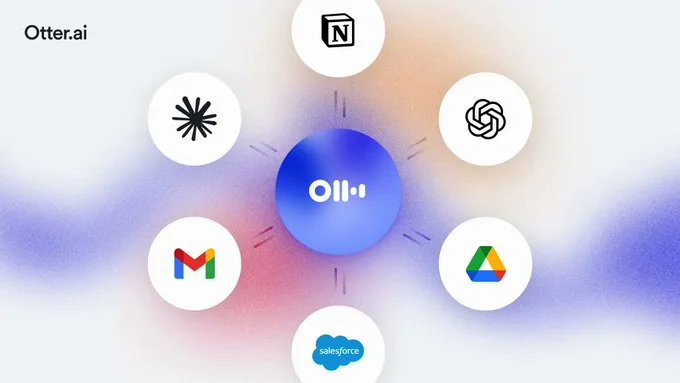
For sales organizations, Otter for Sales automatically syncs meeting transcripts, customer pain points, and B2B qualification metrics directly into Salesforce and HubSpot CRMs, eliminating manual administrative logging.
Our Verdict on Otter.ai
Otter.ai is one of the most reliable and mature automated meeting notetakers on the market. Its real-time live transcription, automatic slide screenshot capture, and seamless calendar integration make it an indispensable productivity booster for meeting-heavy teams.
Recommendation: Active professionals with daily calls should upgrade to Otter Pro ($10/month billed annually) for 1,200 monthly transcription minutes and custom vocabulary support.
Pros & Cons
Pros
- check_circleFast, accurate real-time transcription streamingAllows participants to review what was said moments ago without waiting for call completion.
- check_circleAutomated slide capture enriches contextLinks visual presentation slides directly to the spoken dialogue in the transcript.
- check_circleGenerous free and entry-level minute allowancesProvides substantial utility on Pro tiers with 1,200 monthly minutes.
Cons
- errorOtterPilot bot visibility in client meetingsJoining external client calls with a recording bot requires ensuring all participants are comfortable with recording.
- errorComplex technical jargon requires custom vocabulary tuningNiche engineering or medical terms require adding custom spelling entries to user settings.
Best Use Cases
Here's a breakdown of how people are actually using this tool in the real world to speed up their workflows.
Ideal for Remote Team Standups & Strategy Sessions
Key Features & Capabilities
These are the core features that actually matter. Instead of overwhelming you with options, this tool focuses on doing these specific tasks exceptionally well.
Automated OtterPilot Meeting Bot
Automatically joins Zoom, Microsoft Teams, and Google Meet calls to record, transcribe, and capture slides.
Real-Time Live Transcription & Diarization
Follow along with live streaming text, speaker separation, and collaborative highlighting during calls.
Automated Executive Summaries & Action Items
Receive concise post-meeting summaries highlighting major takeaways, next steps, and assignee deadlines.
Otter AI Meeting Chat
Chat with your meeting transcript in real time to draft follow-up emails and clarify missed discussion points.
Pricing & Value
Otter.ai offers a free Basic plan with 300 transcription minutes/month (30 mins per conversation). Otter Pro ($10/month billed annually) includes 1,200 minutes/month (90 mins/conversation) and custom vocabulary. Otter Business ($20/user/month billed annually) includes 6,000 minutes/month, admin analytics, and CRM integration.
Basic
For individuals testing automated meeting notes.
- check_circle300 transcription minutes per month
- check_circle30 minutes max per conversation
- check_circleOtterPilot for calendar calls
- check_circleAutomated summary emails
Pro
For busy professionals and power users ($10/mo billed annually at $120/yr).
- check_circle1,200 transcription minutes per month
- check_circle90 minutes max per conversation
- check_circleImport audio/video files for transcription
- check_circleCustom vocabulary & advanced search
Business
For teams and sales organizations ($20/user/mo billed annually).
- check_circle6,000 transcription minutes per month
- check_circle4 hours max per conversation
- check_circleSalesforce & HubSpot integrations
- check_circleCentralized team admin & analytics
Frequently Asked Questions
Common questions about Otter.ai.
Real User Reviews
Share & Embed
Promote Otter.ai or embed utility cards and verification badges.
Discover More AI Tools
Follow AIToolsHaven for new AI tools, reviews, comparisons and resources.