
Descript
verifiedby Descript
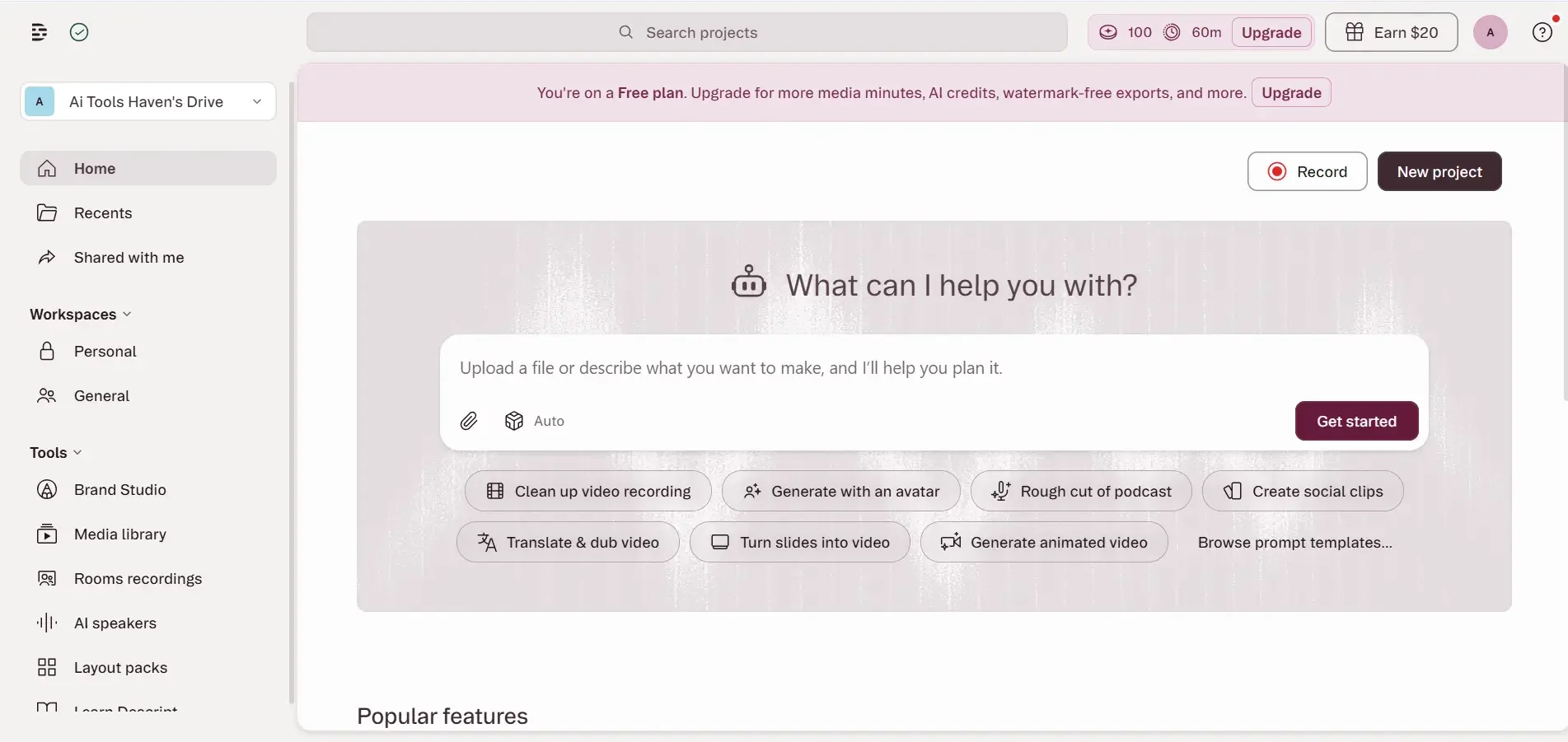
About Descript
Descript is an AI-powered media production suite that transcribes video and audio into text, allowing creators to edit recordings by editing the transcript, with Studio Sound and Overdub.
What is Descript?
Descript is an AI-powered media production suite that transcribes video and audio into text, allowing creators to edit recordings by editing the transcript, with Studio Sound and Overdub.
Descript revolutionizes podcast and video editing by treating media files like text documents. Instead of navigating complex multi-track timelines in traditional editing software, Descript automatically transcribes your recordings with near-perfect accuracy and lets you edit the audio and video simply by deleting, copying, or rearranging words in the transcript.
Descript's AI capabilities solve the most tedious pain points in media production. With Studio Sound, a single click removes background echo and street noise, transforming laptop mic recordings into professional broadcast quality. Underdub / Overdub lets you fix spoken mistakes by simply typing the corrected word in your cloned voice, while Eye Contact subtly adjusts your gaze to look directly into the camera.
Descript is the go-to editing workstation for podcasters, YouTube creators, marketing teams, and educators who need to produce clean, multi-track audio-video episodes rapidly without mastering legacy NLE software.
Our Verdict on Descript
Descript is hands-down the most efficient workflow for dialogue-heavy audio and video content. Its text-based editing paradigm, automatic filler word removal, and instant Studio Sound audio restoration save creators hours of tedious manual scrubbing.
Recommendation: Content creators and podcasters should choose the Creator Plan ($24/month billed annually) for 30 hours of monthly transcription and 4K video exports.
Pros & Cons
Pros
- check_circleDramatically faster dialogue editing workflowEditing text is exponentially faster than manually slicing waveforms in traditional DAW/NLE timelines.
- check_circleStudio Sound audio rescue is exceptionalSalvages poorly recorded remote guest audio that would otherwise be unusable.
- check_circleBuilt-in dynamic captioning templatesGenerates animated word-by-word viral captions for social clips with zero manual keyframing.
Cons
- errorComplex multi-camera video switching can be resource-intensiveHeavy multi-track 4K video projects require a computer with adequate RAM and GPU acceleration.
- errorAutomated transcription occasionally needs manual spelling tweaksNiche industry terminology or uncommon proper nouns may require quick spelling adjustments in the transcript.
Best Use Cases
Here's a breakdown of how people are actually using this tool in the real world to speed up their workflows.
Ideal for Podcast Production & Publishing
Key Features & Capabilities
These are the core features that actually matter. Instead of overwhelming you with options, this tool focuses on doing these specific tasks exceptionally well.
Text-Based Audio & Video Editing
Cut, copy, paste, and trim audio and video timelines by editing the automatically generated transcript like a doc.
One-Click Studio Sound Cleanup
Isolate speech and eliminate room echo, HVAC noise, and microphone distortion for broadcast-quality audio.
Automated Filler Word Removal
Instantly detect and strip out 'ums', 'uhs', long pauses, and repeated words across multi-speaker tracks.
AI Eye Contact & Overdub Voice Fixes
Correct your gaze to look directly into the camera lens and patch misspoken words by typing the correct text.
Pricing & Value
Descript offers a free tier with 1 hour of transcription per month and 720p watermarked video. The Hobbyist Plan ($12/user/month billed annually) includes 10 hours of transcription. The Creator Plan ($24/user/month billed annually) includes 30 hours/month and unlimited Studio Sound. The Business Plan ($40/user/month billed annually) includes 40 hours/month and full team collaboration.
Free
Basic trial tier for testing text-based editing.
- check_circle1 hour transcription per month
- check_circle1 720p watermarked video export
- check_circleBasic Studio Sound
- check_circleFiller word removal trial
Hobbyist
For hobby podcasters and video creators ($16/mo monthly).
- check_circle10 hours transcription per month
- check_circle1080p watermark-free exports
- check_circleFull Studio Sound processing
- check_circleRemove basic filler words ('um', 'uh')
Creator
Optimal plan for active podcasters and YouTubers ($35/mo monthly).
- check_circle30 hours transcription per month
- check_circle4K video export resolution
- check_circleAdvanced filler word removal
- check_circleAI Eye Contact and voice cloning
Business
For professional teams and media production agencies ($50/mo monthly).
- check_circle40 hours transcription per month
- check_circleFull team workspaces & shared drives
- check_circleUnlimited filler word removal
- check_circleSingle Sign-On (SSO) & priority support
Frequently Asked Questions
Common questions about Descript.
Real User Reviews
Share & Embed
Promote Descript or embed utility cards and verification badges.
Discover More AI Tools
Follow AIToolsHaven for new AI tools, reviews, comparisons and resources.