
Framer
verifiedby Framer
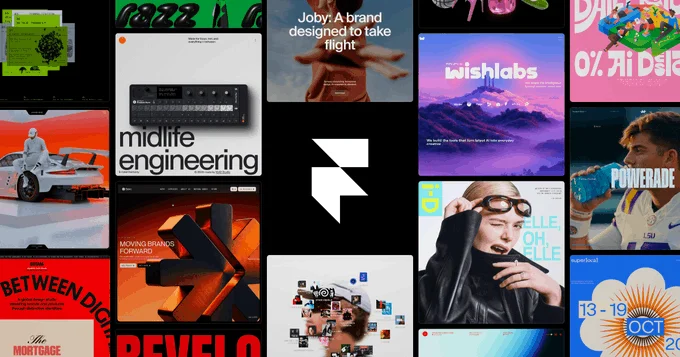
About Framer
Framer is a modern website design platform that uses generative AI to design, write, style, and publish responsive websites with custom animations and CMS.
What is Framer?
Framer is a modern website design platform that uses generative AI to design, write, style, and publish responsive websites with custom animations and CMS.
Framer is a state-of-the-art visual web design and publishing platform that combines the intuitive freeform design experience of Figma with a powerful, modern web hosting and CMS engine. With its integrated AI capabilities, Framer allows creators to generate complete, multi-page responsive websites from a single text prompt in under thirty seconds.
Framer bridges the gap between visual design and production code. When Framer AI generates a layout, it outputs real, semantic HTML and CSS with built-in responsive breakpoints (Desktop, Tablet, Mobile), interactive scroll animations, and dynamic color palettes. Designers can customize every element visually, paste designs directly from Figma, and edit copy with inline AI rewrite tools.
Framer is the primary website builder for modern tech startups, design studios, agencies, and freelancers who want to launch high-performance, aesthetically stunning websites without writing code or hiring frontend developers.
Our Verdict on Framer
Based on design quality and ease of deployment, Framer is one of the best web design platforms for startups and creative professionals. Its ability to turn prompts into responsive layouts with fluid spring animations and instant global CDN publishing makes it a formidable alternative to Webflow and WordPress.
Recommendation: Freelancers and startups launching marketing websites should choose the Mini Plan ($5/month) for simple landing pages or the Basic Plan ($15/month billed annually) for custom domains and full CMS functionality.
Pros & Cons
Pros
- check_circleStunning visual design quality and animation fidelityProduces smoother, more modern interactive animations than traditional site builders.
- check_circleSeamless workflow for designers familiar with FigmaFeels like designing in Figma, but outputs real, production-hosted websites.
- check_circleBlazing fast global edge CDN performancePre-rendered static pages achieve near-perfect 100/100 Google Lighthouse performance scores.
Cons
- errorComplex web application backend logic is limitedOptimized for marketing sites, portfolios, and content blogs rather than database-heavy SaaS web applications.
- errorVisitor caps apply on lower-tier plansHigh-traffic viral sites must monitor monthly visitor allowances to avoid overage tier upgrades.
Best Use Cases
Here's a breakdown of how people are actually using this tool in the real world to speed up their workflows.
Ideal for Startup SaaS Marketing Websites
Key Features & Capabilities
These are the core features that actually matter. Instead of overwhelming you with options, this tool focuses on doing these specific tasks exceptionally well.
Generative AI Website Builder
Generate complete responsive websites with custom styling, copy, and responsive layouts from a single prompt.
Figma-to-Framer Direct Import
Copy frames and components directly from Figma and paste them into Framer as responsive interactive web pages.
Visual Component & Scroll Animations
Add smooth spring animations, scroll effects, 3D transforms, and interactive hover states without code.
Built-In CMS & Localization
Manage structured blog posts, case studies, and localized multi-language content within a visual database.
Pricing & Value
Framer offers a free tier with a Framer subdomain. The Mini Plan ($5/month billed annually) includes a custom domain and 1 page. The Basic Plan ($15/month billed annually or $20/mo monthly) includes 150 pages, 10,000 visitors/month, and full CMS. The Pro Plan ($30/month billed annually) supports 200,000 visitors/month, staging environments, and advanced site analytics.
Free
Design and publish on a framer.website subdomain.
- check_circleVisual canvas editor
- check_circleFramer AI generation
- check_circleframer.website subdomain
- check_circleCommunity templates
Mini
For simple landing pages and micro-sites ($5/mo billed annually at $60/yr).
- check_circle1 custom domain
- check_circle1 page limit
- check_circle1,000 visitors per month
- check_circleStandard global CDN hosting
Basic
Optimal plan for standard marketing websites ($15/mo billed annually at $180/yr).
- check_circle150 pages
- check_circle10,000 monthly visitors
- check_circleFull CMS (1 collection)
- check_circlePassword protection & search
Pro
For high-traffic startup websites ($30/mo billed annually).
- check_circleUnlimited pages
- check_circle200,000 monthly visitors
- check_circleFull CMS (10 collections)
- check_circleStaging environments & site analytics
Workflows Using Framer
Solopreneur
Claude 3 • Canva • Framer • Stripe
Launch and grow an online business with AI.
Frequently Asked Questions
Common questions about Framer.
Real User Reviews
Share & Embed
Promote Framer or embed utility cards and verification badges.
Discover More AI Tools
Follow AIToolsHaven for new AI tools, reviews, comparisons and resources.